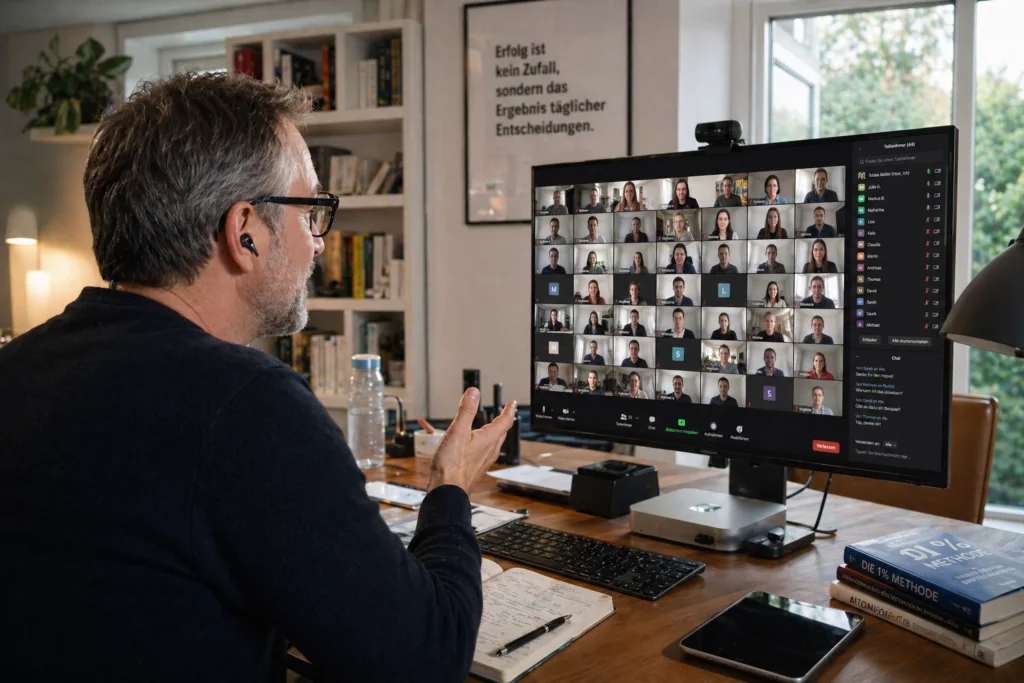
We kept running webinars on basic Zoom because webinar platforms felt sterile. But we were flying blind on who actually wanted to buy. ManyMeet didn't replace anything — it just finally made our Brevo flows smart about what happened in the room.

Turn Zoom Meetings
into personal sales webinars.
Run interactive sales webinars on Zoom meetings — track attention minute-by-minute, segment participants by behavior, and trigger the right follow-up through Brevo. No broadcast platform required.
hot-lead* Benchmarks observed in ManyMeet early-user cohort, Q1 2026. Your mileage will vary.
You ran the webinar. Then you sent the same follow-up to everyone.
Most sales webinars run blind. A no-show and a participant who stayed for 90 minutes and asked three questions receive the same email. The most valuable signal in any webinar — what people actually did — gets thrown away.
Webinar platforms won't help. They're built for broadcast scale and corporate controls — not for the personal, interactive meetings where high-ticket sales actually happen.
Revenue-Weighted Attention.
Most revenue comes from the few participants who stay. ManyMeet captures who watched how long — and uses that behavior to trigger the follow-up that actually matches.
Three moves. No new platform.
ManyMeet sits between the tools you already have. Zoom remains your meeting room. Brevo remains your email engine. We add the webinar logic in between.
-
01Connect Zoom & Brevo
Two OAuth clicks. Your accounts stay yours — we read meeting metadata and write tags/contacts back into Brevo. No new login for participants.
Zoom account ConnectedBrevo workspace ConnectedClaude / AI assistant Optional -
02Run your meeting normally
Host the Zoom Meeting exactly as you do today. ManyMeet observes silently in the background — attendance, duration, chat activity, drop-offs, peak.
Live · 1:24:07Participants59Active in chat12Retention71% -
03Behavior triggers the right email
The moment the session ends, participants are segmented by behavior and dropped into matching Brevo workflows — hot leads, objection-handlers, replay-for-no-shows.
Stayed past offer →→Book-a-call sequenceLeft early →→Objection handlerNo-show →→Replay + 2nd date
Your follow-ups should match what people actually did.
Four behaviors, four messages. Stop sending the same email to everyone who registered.
Intimacy of a meeting. Intelligence of a platform.
Corporate webinar tools optimize for broadcast. ManyMeet keeps the human side of Zoom and adds the marketing infrastructure around it.
From the coaches, consultants and agencies who sell on Zoom.
ManyMeet turns my monthly Zoom Meetings into a complete funnel for 150+ engaged attendees. My sales team loves calling qualified leads. I love the six figures we've closed.
We stopped paying for a webinar platform we barely used. Our Zoom was fine. What we were missing was the intelligence layer — and that's why I started building and using ManyMeet for clients.
The Observer Mode report on my last webinar was more useful than six months of Stripe data. I could literally see which slide lost my audience.
Already running sales webinars on Zoom meetings?
Connect your next meeting. We'll observe silently and send you a full diagnostic afterwards — no funnel changes, no commitment.
- Participant timeline & attention graph
- Engagement segmentation preview
- Retention curve vs. your offer moment
- Replay + drop-off analysis
Free for the first meeting. No credit card. Cancel any time.
Pay per join, not per month.
No platform tax. No punishment for success. If nobody shows up, you owe us nothing.
- Unlimited webinars
- Registration & reminders
- Basic join tracking
- Observer report on 1 meeting
- Everything in Free
- Full duration & retention tracking
- Brevo contact sync
- Retention-curve insights
- Standard support
- Everything in Base
- Advanced behavior segmentation
- Revenue attribution to Stripe / CRM
- AI summaries & objection detection
- Brevo workflow triggers (unlimited)
- Priority support
- Everything in Pro
- Multi-host seats & workspaces
- Custom integrations & API access
- SSO & data-residency
- Dedicated success manager
- Coaches selling high-ticket programs via webinars
- Consultants with a recurring sales-webinar cadence
- Creators running paid cohorts & workshops
- Agencies running webinars on behalf of clients
- Corporate HR or compliance webinars
- Large virtual conferences
- 10,000-seat broadcast events
- Anyone who wants yet another meeting platform
And that's intentional. We'd rather be the best tool for a few thousand operators than an average one for everyone.
ManyMeet started because I kept watching business partners run incredible sales webinars on Zoom and then dump everyone into the same Mailing list, if any, afterwards. The best part of the webinar — what actually happened in the room — was getting thrown out.
This tool is deliberately small. It doesn't replace Zoom. It doesn't replace Brevo. It's the thin, quiet layer that finally makes those two talk about the same person.
—Marco
Reasonable questions.
Do I need to switch off Zoom Webinars?
No. If you're already happy on Zoom Webinars, stay there. ManyMeet exists for people running sales webinars on plain Zoom Meetings — because that's where real interaction happens.
Do my participants need to install anything?
No. They join your Zoom meeting like always. ManyMeet observes behavior from server-side data — your attendees see nothing new.
Do you store the video recording?
Only if you explicitly enable it for a specific meeting. Retention and transcripts are opt-in, per-meeting, and you can delete them any time.
What if I don't use Brevo?
Brevo is our first-class integration. HubSpot, ActiveCampaign and Mailchimp work through our generic webhook + CSV export. More native integrations are on the roadmap.
Is this GDPR-compliant for EU hosts?
Yes. Data is processed within the EU, a standard DPA is available, and participants are informed through your regular webinar privacy copy — no extra consent screens needed.
What does "per-join" actually mean?
One join = one unique participant who actually entered your meeting. No-shows don't count. If the same person rejoins after a drop, it's still one join.
Connect Zoom. Run your next meeting. See what converts.
Your first 25 joins are free. Your tools stay yours.